You might think schema markup is a magic SEO bullet. It's not.
In 2026, the wrong structured data can actually hurt your visibility. That's not fear-mongering—it's what happens when everyone treats schema like a checkbox exercise rather than a communication tool.
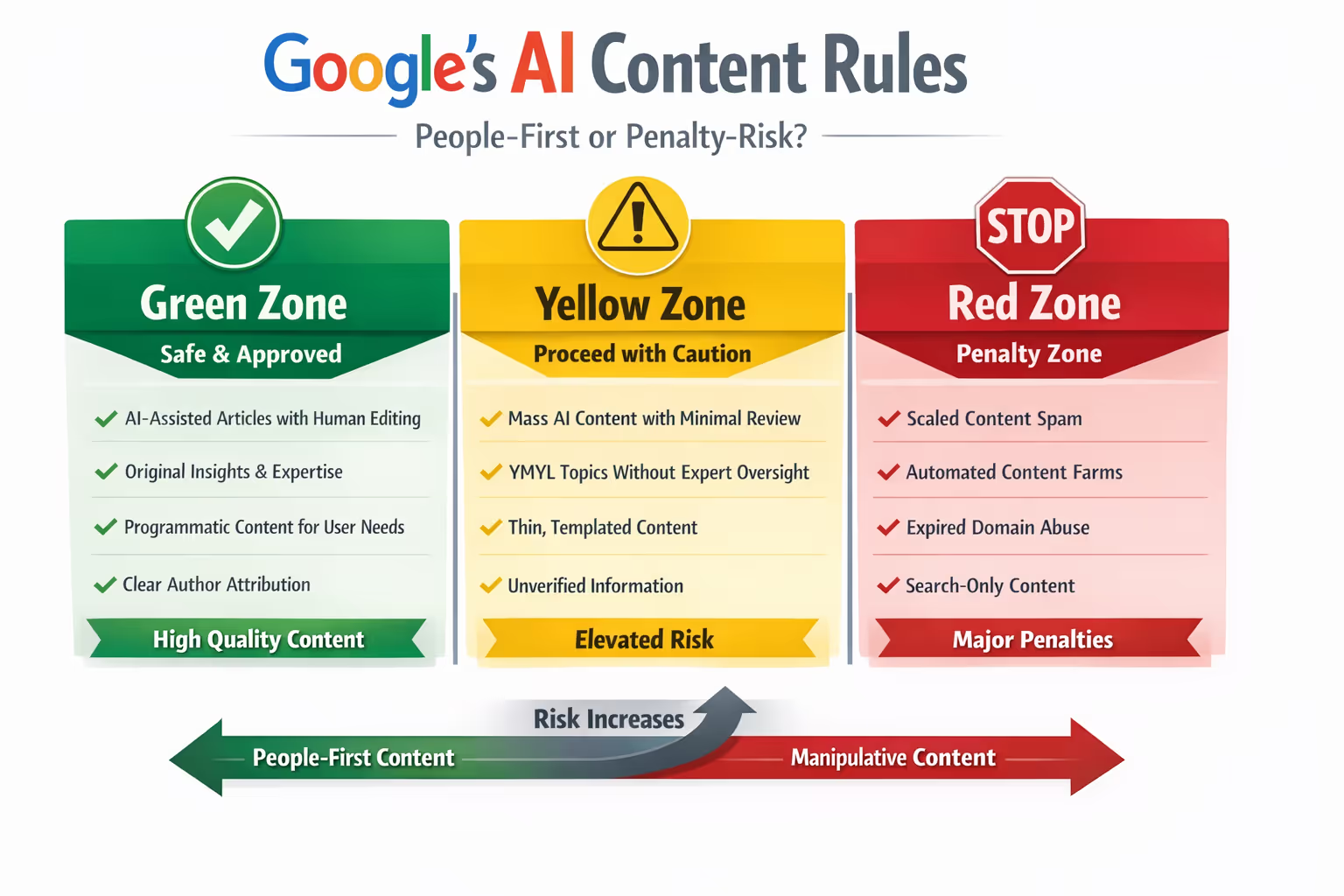
Here's what changed: most guides still read like 2021 playbooks. Add FAQ markup. Sprinkle HowTo on tutorials. Watch rich snippets appear. But Google's documentation now explicitly warns against structured data misuse [1], and the search landscape has shifted toward AI-generated answers that pull from properly marked content [2].
The stakes are higher because schema isn't just about earning a fancy search result anymore. It's about signaling what your content actually is so both traditional search and AI systems interpret it correctly.
This guide breaks down the three most relevant schema types for blog content, gives you actual code templates you can implement, and—just as importantly—explains when schema can backfire and tank your performance.
Why Schema Still Matters (But Differently Than Before)
Structured data helps search engines parse your content at a granular level. Google uses it to generate rich results, and AI systems increasingly rely on properly structured content to source answers [2].
But the relationship between schema and rankings has evolved.
Adding schema doesn't directly boost rankings. Google has confirmed this repeatedly [3]. What it can do is improve how your content appears in search results—click-through rates, featured snippets, and visibility in AI-powered search experiences.
The catch: irrelevant or misleading schema can trigger manual actions or algorithmic filtering. Google's spam policies now include specific language about structured data abuse [4].
So the real question isn't whether to use schema. It's whether you're using the right schema for your specific content—and whether you know what the code actually looks like.
Article Schema: The Baseline for Blog Content
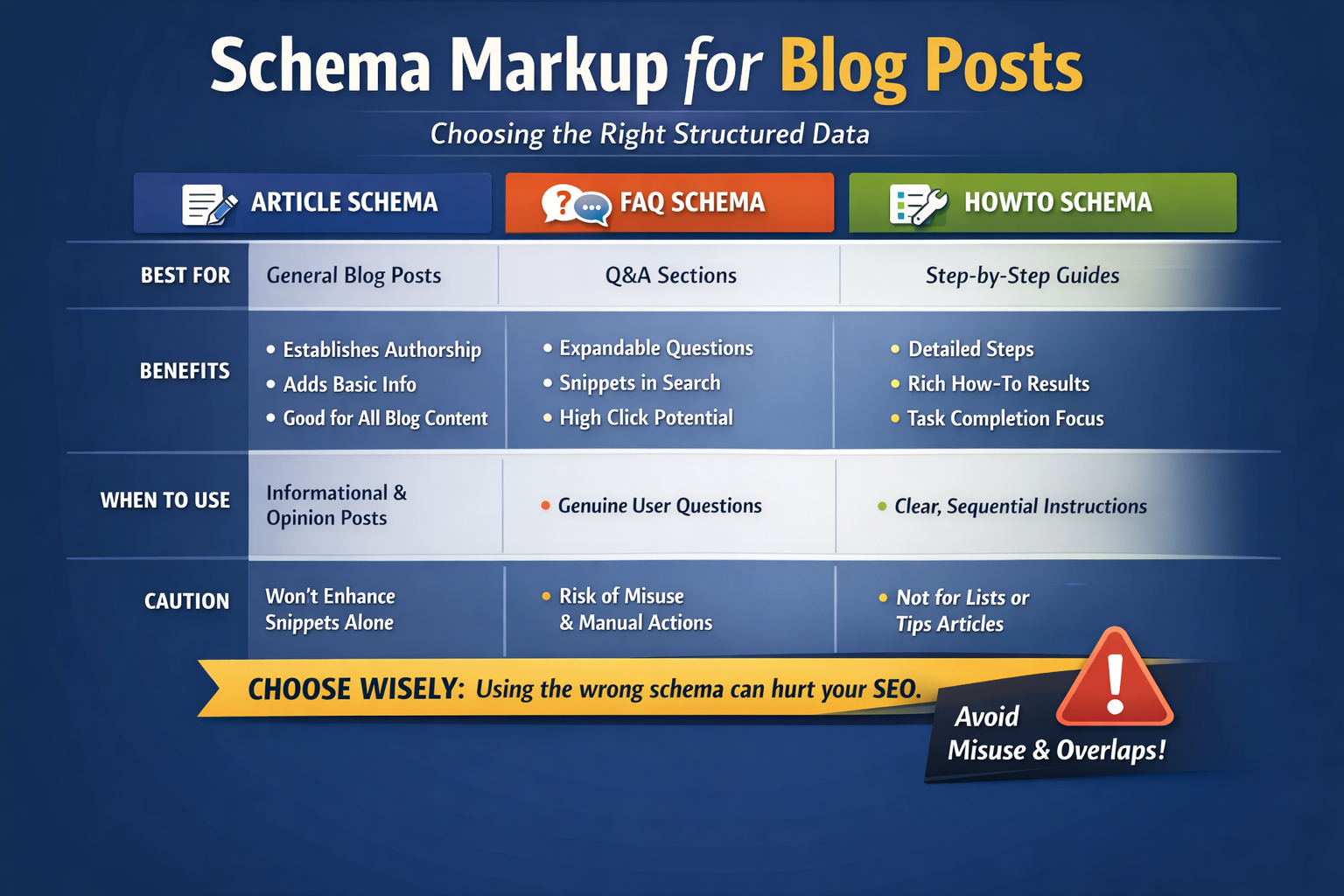
Article schema is the foundational markup for most blog posts. It tells search engines the basics: this is an article, here's when it was published, here's who wrote it.
When to Use Article Schema
Use Article schema when your content is:
News, opinion, or editorial content
Long-form informational pieces
Any blog post that doesn't fit a more specific schema type
Article schema works for nearly every blog post because it covers universal attributes—author, publish date, headline, and image [5].
Article Schema Subtypes
You have three main options:
| Subtype | Best For |
| Article | General blog posts, essays, opinion pieces |
| NewsArticle | Time-sensitive news coverage |
| BlogPosting | Personal blogs, informal content |
For most business blogs, standard Article or BlogPosting works fine. NewsArticle is appropriate only if you're producing actual journalism with strict timeliness requirements.
Basic Article Schema Template
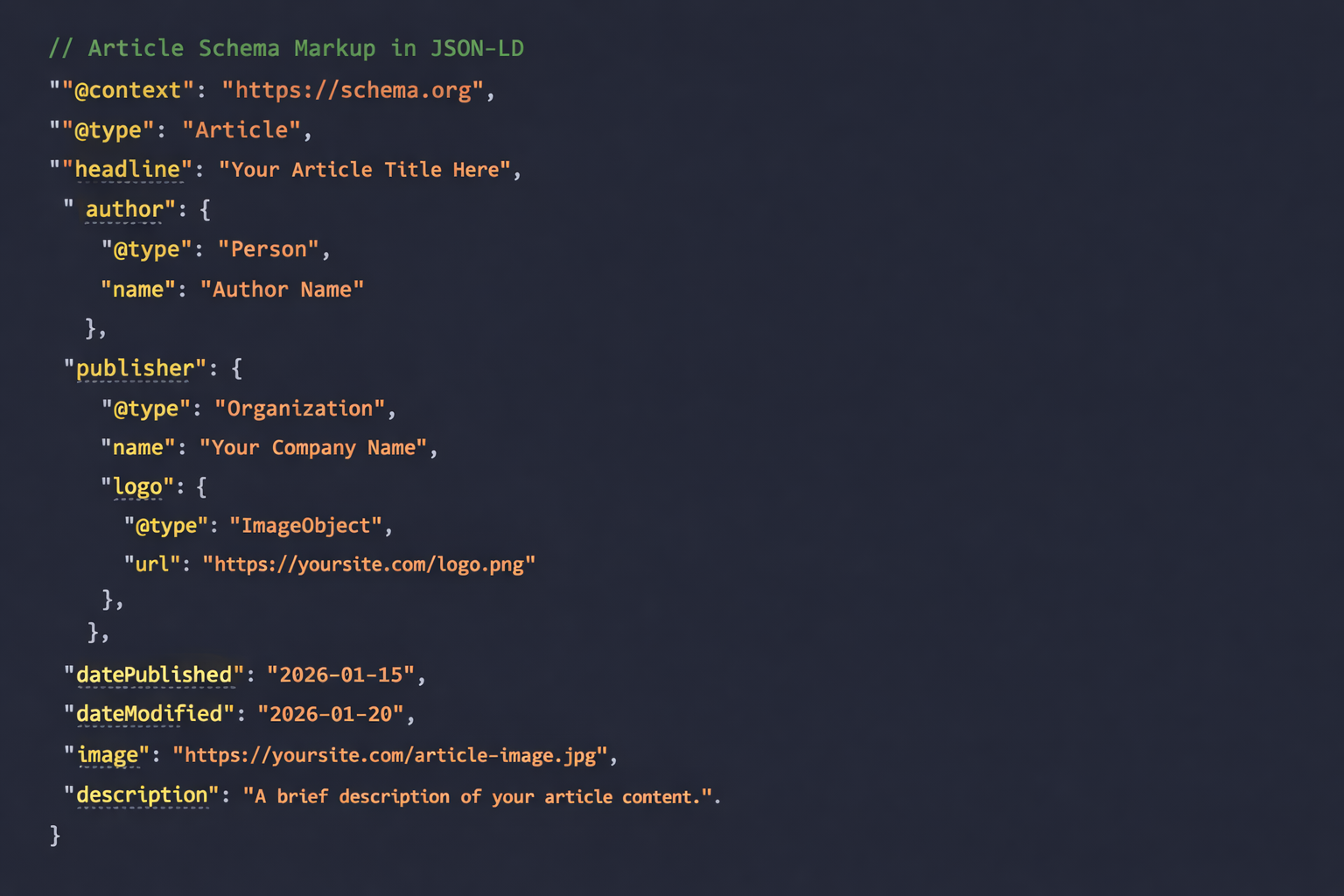
Here's what Article schema looks like in JSON-LD format—the format Google recommends:
{ "@context": "https://schema.org", "@type": "Article", "headline": "Your Article Title Here", "author": { "@type": "Person", "name": "Author Name" }, "publisher": { "@type": "Organization", "name": "Your Company Name", "logo": { "@type": "ImageObject", "url": "https://yoursite.com/logo.png" } }, "datePublished": "2026-01-15", "dateModified": "2026-01-20", "image": "https://yoursite.com/article-image.jpg", "description": "A brief description of your article content."}
This code goes in the <head> section of your page or can be injected via Google Tag Manager. Most SEO plugins (like Yoast or RankMath) generate this automatically when configured correctly.
What Article Schema Won't Do
Article schema rarely generates rich results on its own. You won't see special visual treatments in search results just from adding it.
Its value is foundational—it establishes authorship, helps with content freshness signals, and provides context for AI systems pulling information from your site.
FAQ Schema: High Reward, High Risk
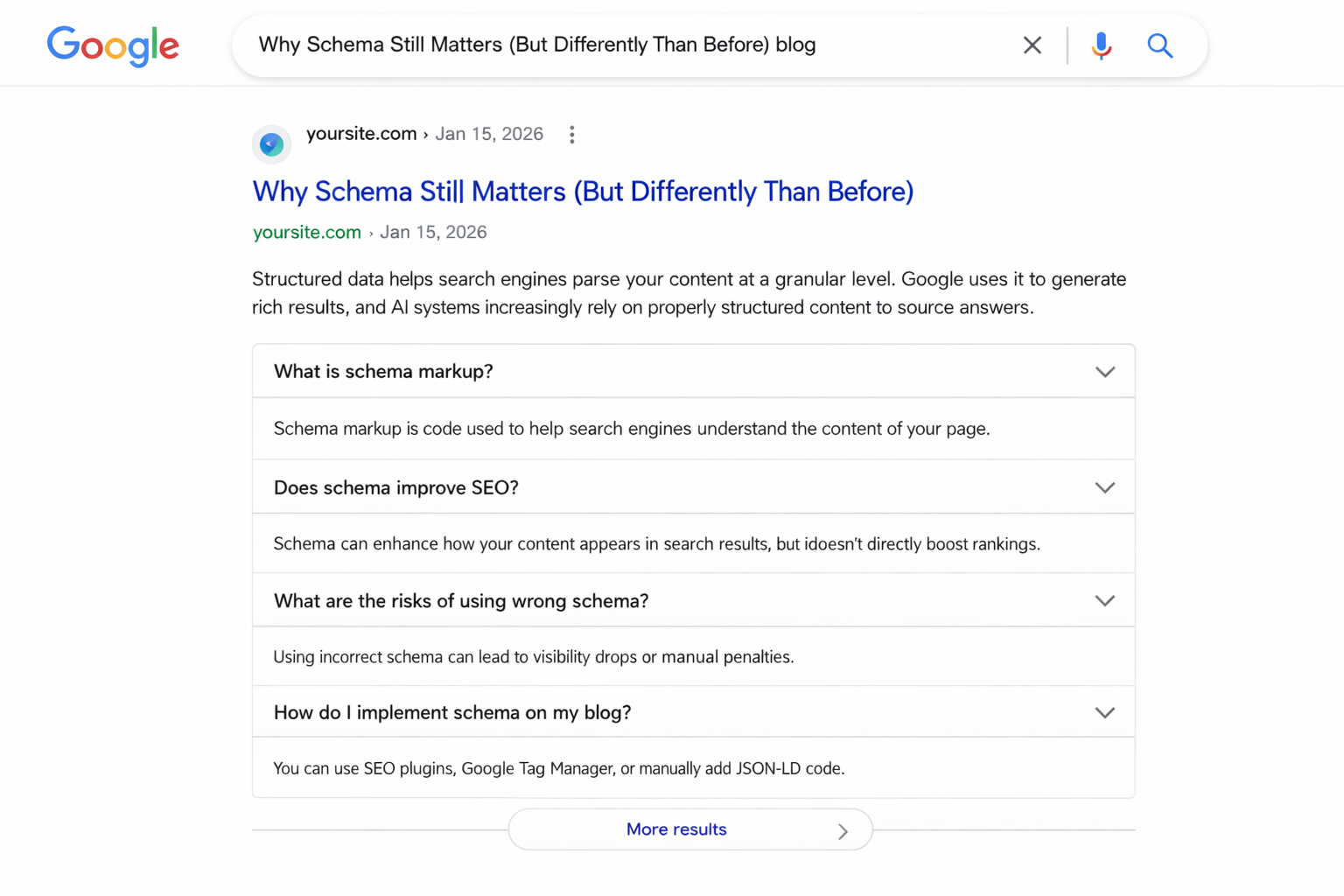
FAQ schema can generate expandable question-and-answer results directly in search. When it works, it's powerful—your content takes up more real estate and invites clicks. When it's misused, it's a liability.
When FAQ Schema Actually Makes Sense
FAQ schema is appropriate when:
Your page genuinely answers multiple distinct questions
The questions are ones real users would ask
The answers are concise and self-contained
The content format is actually FAQ-style
Think product pages with genuine customer questions, resource hubs addressing common concerns, or dedicated FAQ sections on service pages.
Basic FAQ Schema Template
{ "@context": "https://schema.org", "@type": "FAQPage", "mainEntity": [ { "@type": "Question", "name": "What is the first question users ask?", "acceptedAnswer": { "@type": "Answer", "text": "This is the direct, concise answer to the first question." } }, { "@type": "Question", "name": "What is the second question users ask?", "acceptedAnswer": { "@type": "Answer", "text": "This is the direct, concise answer to the second question." } } ]}
Each question needs its own Question object nested inside mainEntity. The answers must match exactly what's visible on your page.
When FAQ Schema Backfires
Here's where most content teams go wrong—and I've seen this tank pages that were otherwise performing well.
Forcing FAQ markup on regular blog posts. If your article is a cohesive narrative piece, bolting FAQ schema onto subheadings you've phrased as questions is manipulation. Google's guidelines require that FAQ content be "visible to users on the page" and represent genuine frequently asked questions [6].
Using FAQ schema for promotional content. Questions like "Why is [Your Company] the best choice?" aren't genuine FAQs. They're marketing copy disguised as user questions. This misuse can result in rich result removal or worse.
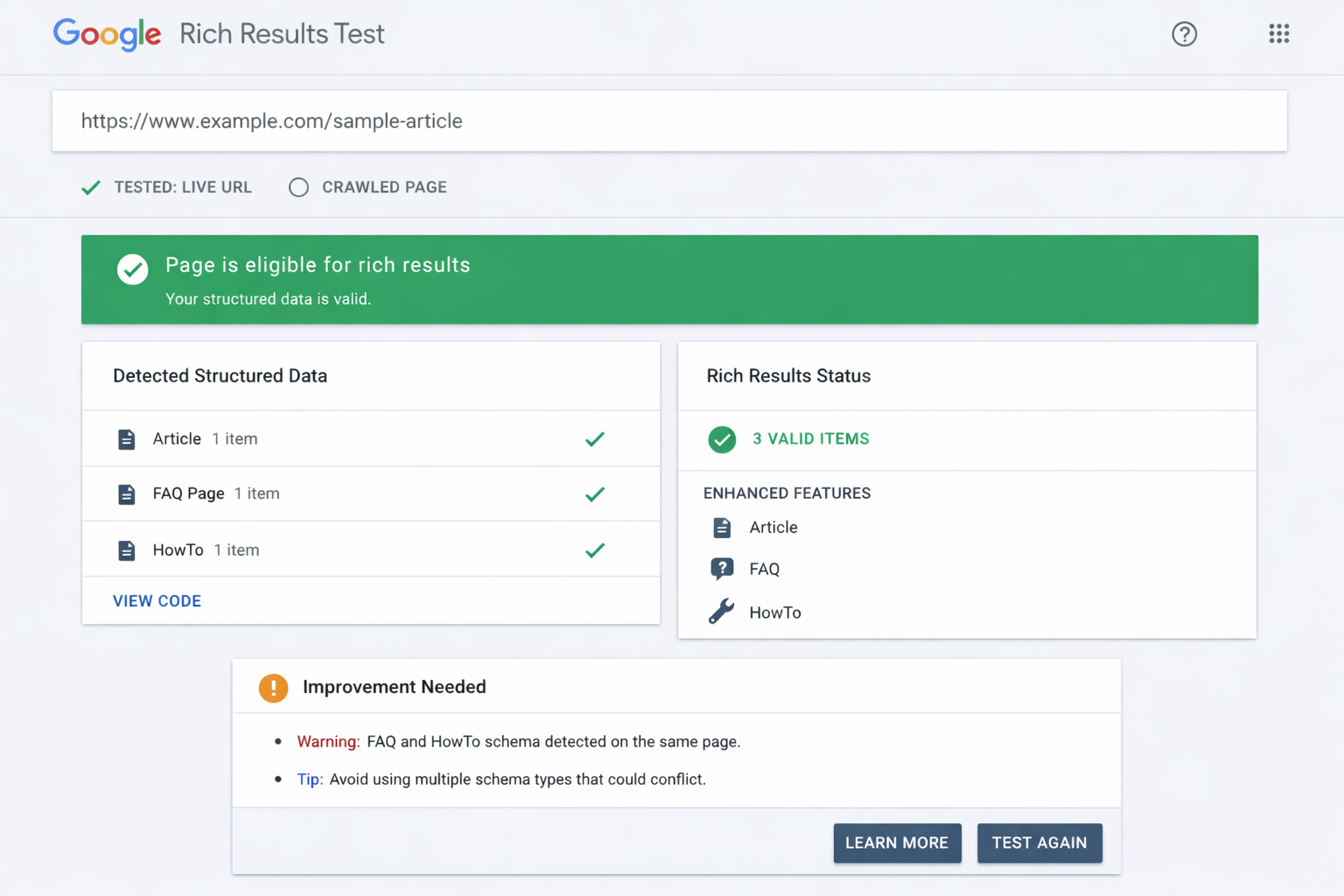
Adding FAQ schema when you've already used HowTo. Google's documentation notes that FAQ and HowTo schema shouldn't appear on the same page for the same content [7]. Pick one.
Expecting guaranteed rich results. Google displays FAQ rich results selectively. Many pages with valid FAQ markup never see the expandable treatment. If you're adding schema purely for the visual, you may be disappointed.
The Checkbox SEO Trap
FAQ schema became a victim of its own success. When expandable FAQ results started appearing prominently around 2019-2020, everyone rushed to add the markup—regardless of whether their content was actually FAQ-based.
The result: Google tightened display criteria significantly. Today, FAQ rich results appear far less frequently than they did a few years ago [8].
If your content isn't genuinely structured as frequently asked questions with direct answers, skip FAQ schema entirely. The risk of appearing manipulative outweighs any potential upside.
HowTo Schema: Process Content Only
HowTo schema is designed for instructional content with discrete steps. It can generate rich results showing individual steps directly in search—sometimes with images for each step.
When HowTo Schema Works
Your content qualifies for HowTo schema when it:
Provides step-by-step instructions to complete a task
Has a clear beginning and end
Uses distinct, sequential steps
Results in a finished outcome
Recipes (though they have dedicated schema), DIY tutorials, technical guides with procedures, and setup instructions all qualify.
Basic HowTo Schema Template
{ "@context": "https://schema.org", "@type": "HowTo", "name": "How to Complete This Specific Task", "description": "A brief overview of what this tutorial accomplishes.", "step": [ { "@type": "HowToStep", "name": "Step 1 Title", "text": "Detailed instructions for completing step 1.", "image": "https://yoursite.com/step1-image.jpg" }, { "@type": "HowToStep", "name": "Step 2 Title", "text": "Detailed instructions for completing step 2.", "image": "https://yoursite.com/step2-image.jpg" }, { "@type": "HowToStep", "name": "Step 3 Title", "text": "Detailed instructions for completing step 3.", "image": "https://yoursite.com/step3-image.jpg" } ], "totalTime": "PT30M"}
The totalTime field uses ISO 8601 duration format (PT30M = 30 minutes). Images for each step are optional but can trigger richer visual results.
When HowTo Schema Doesn't Work
Listicles aren't how-to content. "10 Tips for Better Email Subject Lines" isn't a how-to. There's no sequential process, no completion state. Using HowTo schema here misrepresents your content.
Strategy guides aren't how-to content. An article about content marketing strategy might include actionable advice, but if readers can't follow it step-by-step to reach a specific outcome, it's not HowTo material.
Evergreen explanatory content isn't how-to content. "What Is Schema Markup and Why Does It Matter?" explains a concept. It doesn't guide someone through completing a task.
Misapplying HowTo schema signals to search engines that you don't understand your own content—or worse, that you're trying to game the system.
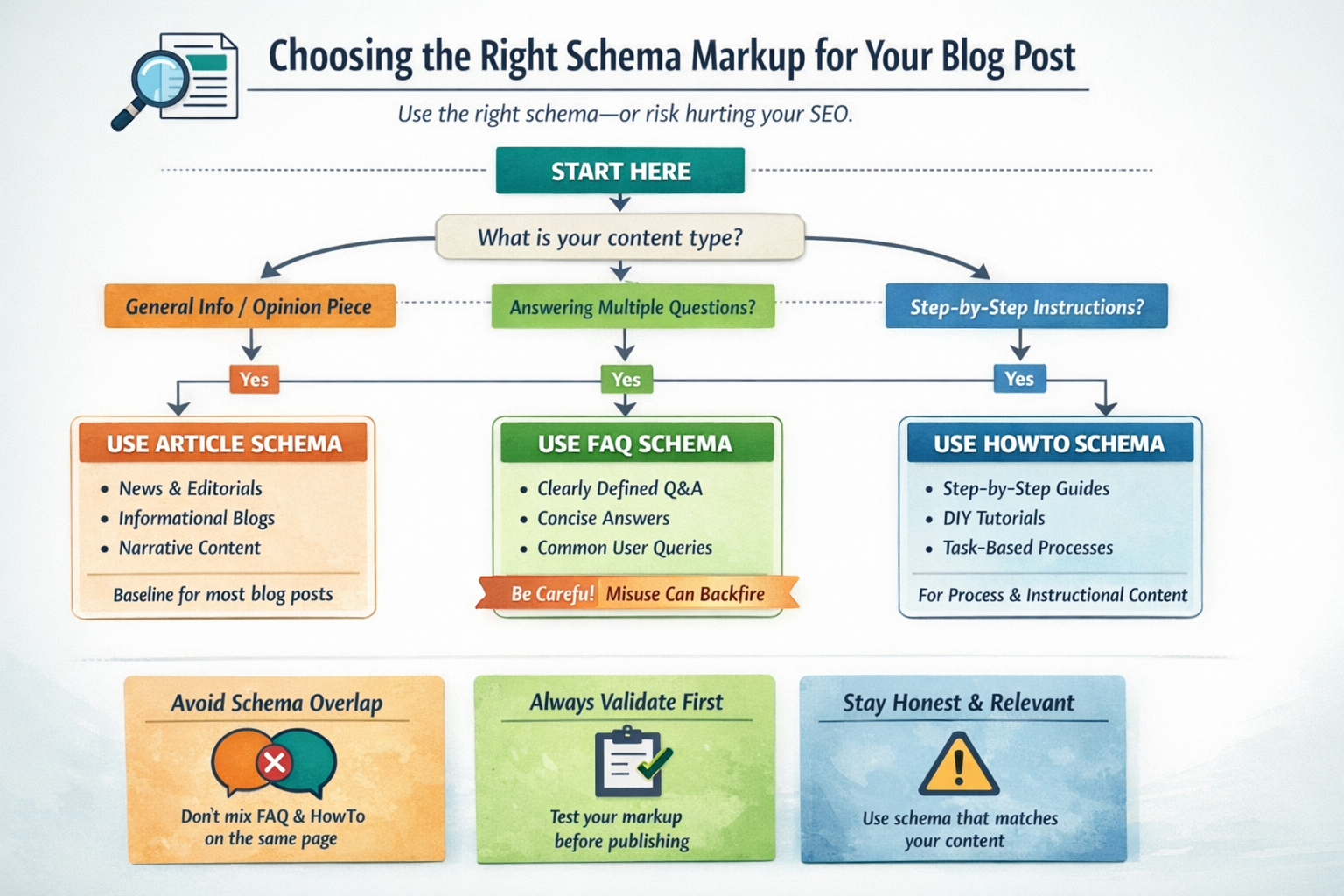
The Decision Framework: Picking the Right Schema
Before adding any schema beyond Article, run through this checklist:
Step 1: Start with Article schema.Every blog post should have Article (or BlogPosting) markup as a baseline. This is non-negotiable.
Step 2: Evaluate your content structure honestly.
Ask yourself:
Does it answer multiple distinct questions users actually ask? → Consider FAQ schema
Does it provide sequential steps to complete a specific task? → Consider HowTo schema
Is it primarily informational, narrative, or opinion-based? → Stick with Article only
Step 3: Check for genuine format fit.Would adding FAQ or HowTo markup accurately describe how the content is formatted and consumed? If you have to stretch the definition or rephrase sections to make it fit, skip it.
Step 4: Verify you're not doubling up.FAQ and HowTo shouldn't coexist on the same piece of content. Choose the one that fits better.
Step 5: Validate before publishing.Use Google's Rich Results Test to confirm your markup is error-free and eligible for rich results [9].
Quick Reference: Schema Selection by Content Type
| Content Type | Recommended Schema | Notes |
| Opinion piece / Editorial | Article only | No enhanced schema needed |
| Explainer ("What is X?") | Article only | FAQ only if genuinely structured as Q&A |
| Step-by-step tutorial | Article + HowTo | Must have discrete, sequential steps |
| Dedicated FAQ page | Article + FAQ | Questions must be visible on page |
| Listicle / Tips post | Article only | Not a HowTo despite actionable content |
| News coverage | NewsArticle | Use only for time-sensitive journalism |
Implementation Methods: Getting Schema on Your Pages
You don't need to hand-code JSON-LD for every post. Here are the most common implementation approaches:
SEO Plugins (Easiest)
WordPress plugins like Yoast SEO, RankMath, and All in One SEO automatically generate Article schema. Most allow you to add FAQ and HowTo schema through dedicated blocks or fields.
Pros: No coding required, automatic updates when content changesCons: Less control over specific properties, dependent on plugin maintenance
Google Tag Manager (Flexible)
You can inject schema dynamically using GTM variables that pull from page content.
Pros: Centralized management, works across platformsCons: Requires GTM familiarity, can cause rendering delays
Manual/Hardcoded (Most Control)
Placing JSON-LD directly in your page template gives you complete control.
Pros: Precise implementation, no third-party dependenciesCons: Requires developer involvement, manual updates needed
For most business blogs publishing regularly, an SEO plugin with periodic validation checks offers the best balance of efficiency and accuracy.
Schema Mistakes That Can Tank Your Visibility
Beyond mismatched content types, several schema errors can actively harm your search performance.
Invisible Structured Data
Schema must reflect content that's visible on the page. If your FAQ answers are hidden behind JavaScript that doesn't render for Googlebot, your markup is invalid [10]. This is a common issue with accordion-style FAQ sections that rely on client-side JavaScript.
Outdated or Orphaned Schema
Schema that references content you've since removed creates a mismatch search engines will eventually flag. If you update an article and remove a section that was marked up with HowTo steps, the schema needs to be updated too.
Over-Marking Low-Value Pages
Thin content with elaborate schema looks suspicious. If your 300-word post has more schema complexity than substance, reconsider. Google's systems are designed to identify when structured data doesn't match page quality.
Ignoring Schema Errors in Search Console
Google Search Console reports structured data issues under the "Enhancements" section. Leaving errors unaddressed tells Google your technical SEO is neglected—and may impact how your other structured data is trusted.
Validation: The Non-Negotiable Final Step
Before any schema goes live, validate it. This isn't optional—it's how you catch errors before Google does.
Tools for Schema Validation
Google Rich Results Test – Confirms eligibility for rich results and catches errors [9]
Schema.org Validator – Checks compliance with schema.org specifications [11]
Google Search Console – Monitors structured data performance and flags issues over time
Validation Checklist
Before publishing, confirm:
No syntax errors (missing brackets, incorrect nesting)
Required properties are present for your schema type
Content in schema matches what's visible on the page
Markup type matches actual content format
No conflicting schema types on the same content
URLs in schema are valid and accessible
If you're working with a content team or agency, request validation reports before publication. Any credible partner should provide schema testing as part of their QA process.
A Note on VideoObject Schema
Many blog posts now include embedded video content. If yours do, VideoObject schema deserves attention—video results are increasingly prominent in both traditional search and AI-powered interfaces.
VideoObject markup helps search engines understand your video's title, description, thumbnail, and duration. This can trigger video carousels and enhanced snippets.
If you're embedding YouTube videos, Google often extracts some data automatically. But for self-hosted videos or when you want more control over how your video appears, explicit VideoObject schema is worth implementing.
Building Schema Into Your Content Workflow
Schema shouldn't be an afterthought bolted on during publishing. The most effective approach integrates structured data decisions at the content planning stage.
When building your editorial calendar, consider:
What content types genuinely qualify for enhanced schema?
Which pages would benefit most from rich result visibility?
Where does adding schema create risk versus reward?
For teams producing content at scale, systematizing schema decisions prevents inconsistent markup and reduces audit debt down the road. Document which content formats get which schema types, and build validation into your publishing checklist.
Ready to Publish Schema-Optimized Content Without the Guesswork?
Getting schema right takes more than copying and pasting code. It requires understanding your content type, validating markup, and knowing when not to use certain schema at all.
The Mighty Quill's Done-For-You publishing plan handles all of this—schema implementation, validation, and internal linking—so your content is technically sound from day one.
Try the Blog Engine free and get two ready-to-publish posts within 48 hours.
Frequently Asked Questions
Does adding schema markup directly improve my Google rankings?
No. Google has confirmed that structured data is not a direct ranking factor [3]. However, schema can improve your visibility through rich results, which may increase click-through rates. Better CTR can indirectly benefit performance over time, but schema itself doesn't boost where you rank.
Can I use both FAQ and HowTo schema on the same blog post?
Google advises against using FAQ and HowTo markup on the same page for the same content [7]. If your post is genuinely instructional with sequential steps, use HowTo. If it answers multiple distinct questions, use FAQ. Combining both creates confusion about your content's actual format.
What happens if I use FAQ schema on content that isn't really FAQ-style?
Misusing FAQ schema can result in Google ignoring your markup entirely, removing any rich results you've earned, or in extreme cases, triggering a manual action for structured data spam [4]. The risk outweighs any potential benefit.
How do I know if my schema markup is working correctly?
Use Google's Rich Results Test to validate your markup before publishing [9]. After your content is indexed, monitor Google Search Console's "Enhancements" section for structured data errors and check whether your pages are generating rich results as expected.
Should every blog post have schema markup?
Every blog post should have basic Article or BlogPosting schema as a baseline. Enhanced schema types like FAQ or HowTo should only be added when the content genuinely fits those formats. More schema isn't always better—accuracy matters more than volume.
About The Mighty Quill
The Mighty Quill is an AI-powered blog engine built for growth-focused businesses that need consistent, SEO-optimized content without managing freelancers or building in-house teams. Founded by Mario, a digital marketing veteran with over 15 years of experience in SEO and e-commerce, The Mighty Quill combines AI efficiency with human editorial oversight to deliver content that ranks and converts. Every post is researched, structured with proper schema, and optimized for both traditional search and AI-powered answer engines.
Works Cited
[1] Google — "Introduction to Structured Data Markup in Google Search." https://developers.google.com/search/docs/appearance/structured-data/intro-structured-data
[2] Google — "How Google Search Works." https://www.google.com/search/howsearchworks/
[3] Google Search Central — "Structured Data General Guidelines." https://developers.google.com/search/docs/appearance/structured-data/sd-policies
[4] Google — "Google Search Essentials (Spam Policies)." https://developers.google.com/search/docs/essentials/spam-policies
[5] Schema.org — "Article Schema Type." https://schema.org/Article
[6] Google — "FAQ Structured Data Documentation." https://developers.google.com/search/docs/appearance/structured-data/faqpage
[7] Google — "HowTo Structured Data Documentation." https://developers.google.com/search/docs/appearance/structured-data/how-to
[8] Search Engine Journal — "Google Reduces FAQ Rich Results Display." https://www.searchenginejournal.com/google-faq-rich-results/
[9] Google — "Rich Results Test Tool." https://search.google.com/test/rich-results
[10] Google — "JavaScript and Structured Data." https://developers.google.com/search/docs/crawling-indexing/javascript/javascript-seo-basics
[11] Schema.org — "Schema Markup Validator." https://validator.schema.org/