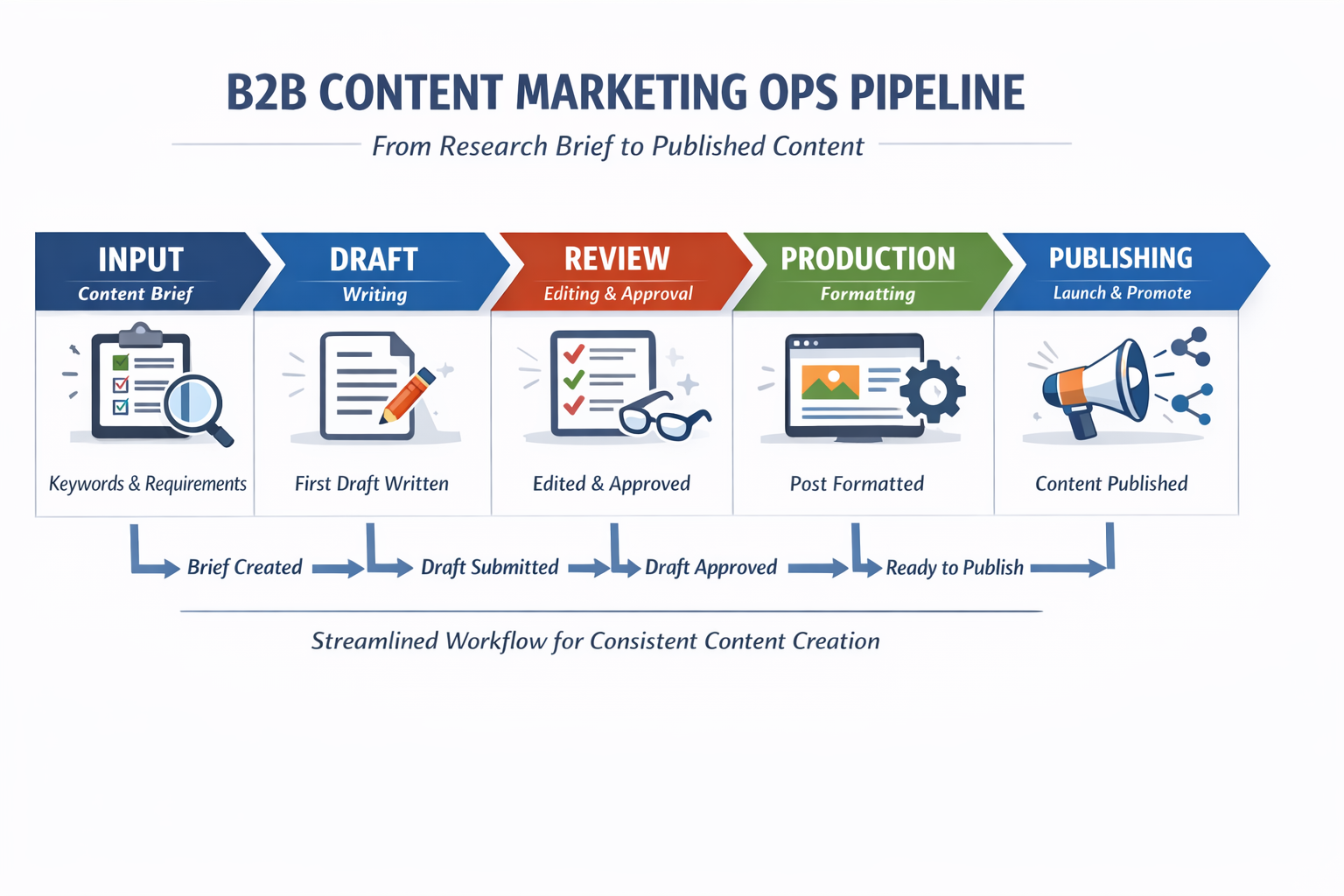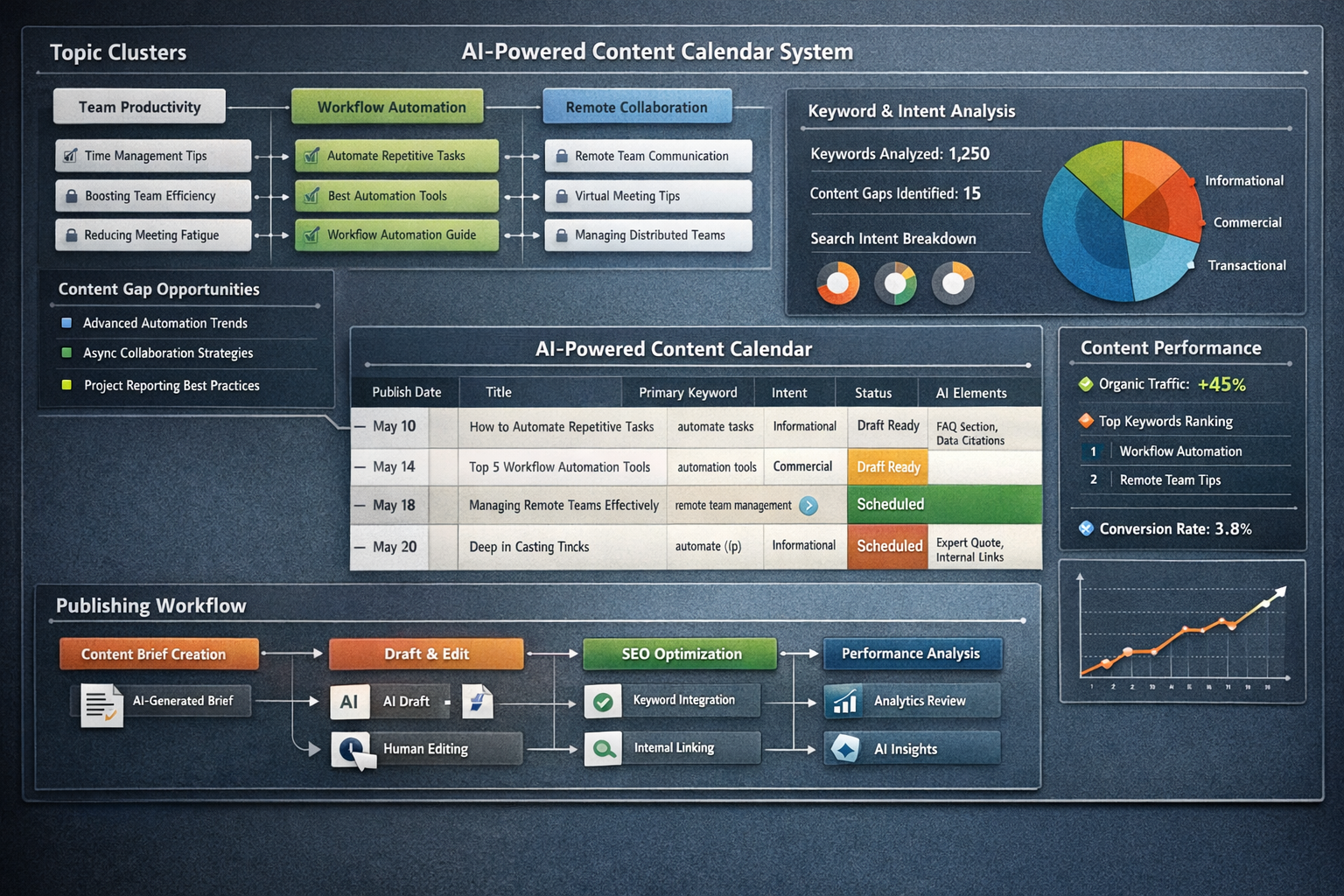
Most SaaS companies know they need content. Blog posts, landing pages, thought leadership—the list grows longer every quarter. But here's what actually happens: someone creates a spreadsheet, fills in a few topic ideas, and then the whole thing sits untouched for months.
The problem isn't motivation. It's system design.
An AI-powered content calendar changes the equation. Instead of sporadic brainstorming sessions that lead nowhere, you build a structured topic bank that feeds your publishing engine week after week. The result? Consistent output, compounding visibility, and content that's actually designed to survive in an AI-driven search landscape.
Let's break down how to build one that works—including the specific workflows, prompts, and structures that turn a static spreadsheet into a living content system.
Why Traditional Content Calendars Fail SaaS Companies
The classic content calendar looks organized on the surface. Color-coded cells. Due dates. Maybe even assigned writers. But it falls apart for predictable reasons.
First, topic selection is reactive. Someone sees a competitor's blog post, panics, and adds it to the calendar. No strategy. No keyword research. Just vibes.
Second, there's no connection between topics. Each post exists in isolation, which means you're not building topical authority—you're just publishing random content and hoping something sticks.
Third, the calendar doesn't account for how search actually works now. Google's algorithms increasingly reward depth and expertise on specific subjects [1]. AI assistants like ChatGPT and Perplexity pull from sources that demonstrate comprehensive coverage of topics [2]. A scattered content calendar can't deliver that.
SaaS companies especially struggle because their buying cycles are complex. Prospects research solutions across multiple touchpoints over weeks or months. If your content doesn't connect those touchpoints, you're leaving leads on the table.
We've seen this firsthand: companies with 50+ published posts still struggle to rank because no two articles reinforce each other. The calendar existed. The strategy didn't.
What Makes a Content Calendar "AI-Powered"
Let's be clear about what "AI-powered" means here. It's not about generating content with ChatGPT and calling it done.
An AI-powered content calendar uses intelligent systems at every stage:
Topic discovery driven by search data and competitive gaps
Keyword clustering that groups related terms into content themes
Content briefs that include semantic entities and related questions
Publishing schedules optimized for consistency and indexation
Performance feedback loops that inform future topic selection
The AI handles the research-heavy lifting. Humans provide judgment, brand voice, and strategic direction. This combination produces content that ranks, reads well, and actually converts.
The key difference? Traditional calendars are static lists. AI-powered calendars are dynamic systems that get smarter with each publishing cycle.
The Foundation: Building Your Topic Bank
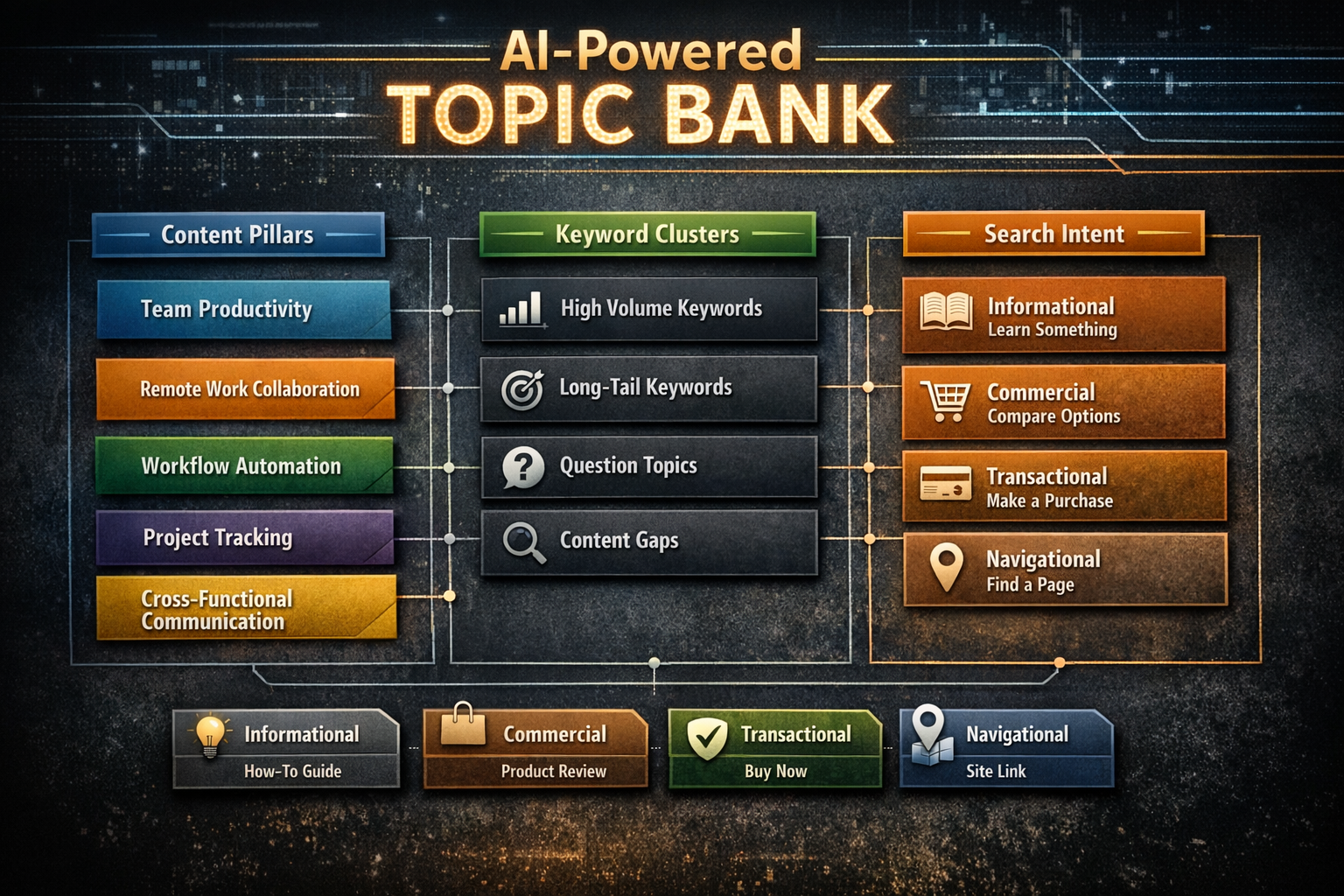
Before you can populate a calendar, you need a topic bank—a curated reservoir of content ideas organized by theme, intent, and priority.
Start with Your Core Themes
Every SaaS company has three to five core themes that matter to their audience. For a project management tool, those might be:
Team productivity
Remote work collaboration
Workflow automation
Project tracking methods
Cross-functional communication
These themes become your content pillars. Every piece of content should connect back to at least one pillar.
Layer in Keyword Research
Once you've identified themes, use keyword research tools to find specific topics within each pillar. Look for:
Head terms with high search volume (competitive, but important for authority)
Long-tail keywords with lower volume but clear intent
Question-based queries that signal informational intent
Commercial keywords that indicate buying readiness
The goal isn't to chase every keyword. It's to build clusters of related content that, together, establish your site as the go-to resource for specific topics.
Use AI for Gap Analysis
Here's where AI accelerates the process. You can identify content gaps your competitors haven't covered by using a structured prompt approach.
Sample prompt for competitive gap analysis:
I'm building a content strategy for a [type of SaaS product]. Here are the blog topics my top 3 competitors have covered: [paste list of competitor article titles or topics].Based on these topics, identify:1. Themes they all cover (saturated topics)2. Themes only one competitor covers (potential opportunities)3. Related topics none of them have addressed (content gaps)4. Questions their content doesn't fully answerFormat the output as a prioritized list with reasoning for each suggestion.
This gives you a starting point for topics that have demand but limited competition—the sweet spot for building authority quickly.
Map Content to Search Intent
Search intent determines what type of content you should create. Google's Search Quality Rater Guidelines emphasize matching content to user intent [3].
| Intent Type | What Users Want | Content Format |
| Informational | Learn something | How-to guides, explainers |
| Commercial | Compare options | Comparison posts, reviews |
| Transactional | Take action | Landing pages, pricing content |
| Navigational | Find specific page | Brand-focused content |
Your topic bank should include a mix of all intent types. Informational content builds traffic. Commercial content captures leads. Transactional content converts them.
Pro tip: When adding topics to your bank, tag each one with its primary intent. This prevents the common mistake of creating the wrong content type for a keyword.
Structuring Your AI-Powered Content Calendar
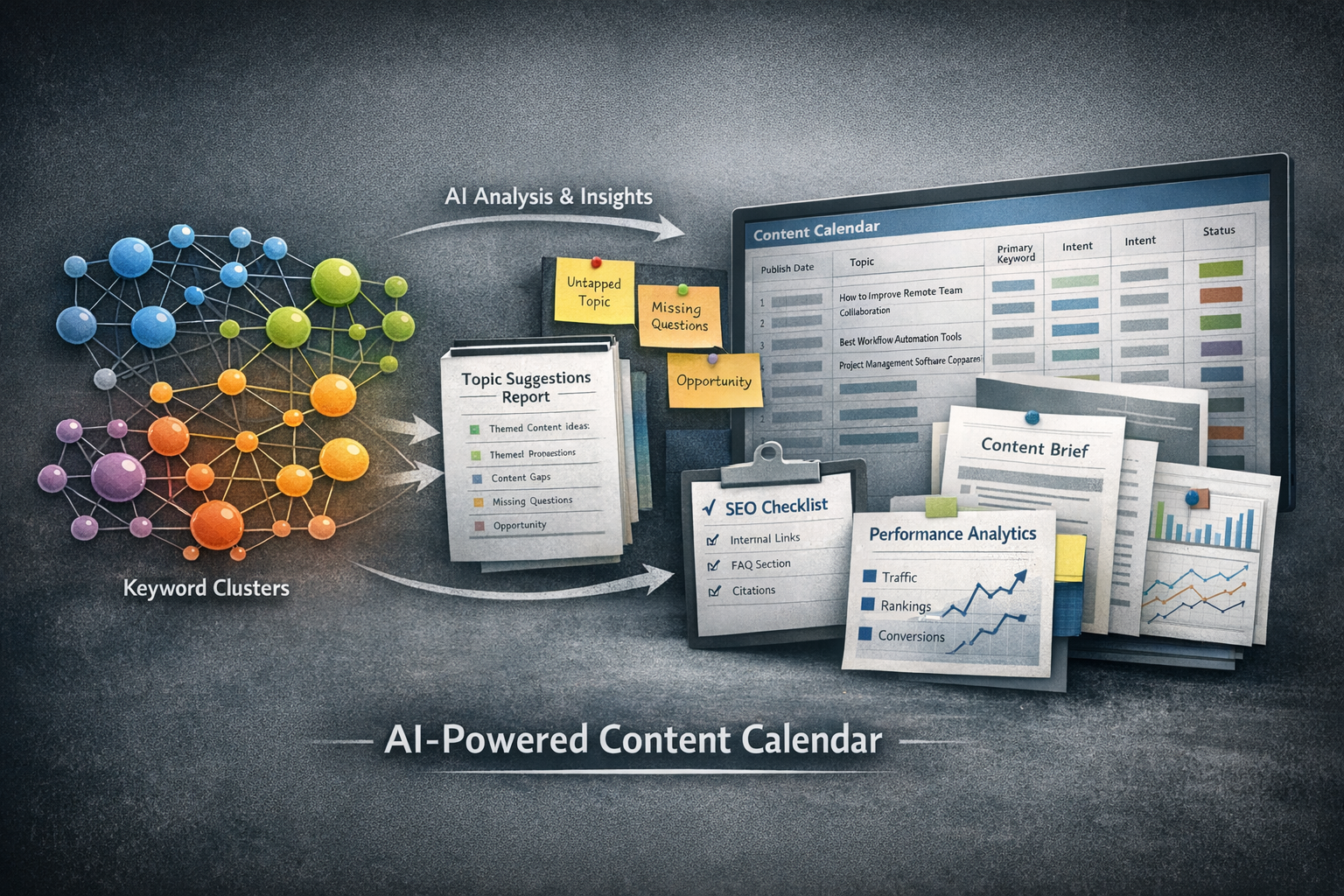
With your topic bank established, you can build a calendar that actually drives results.
Weekly Publishing Cadence
Consistency matters more than volume—up to a point. Research from HubSpot found that companies publishing frequently see substantially more traffic than those publishing sporadically [4].
For most SaaS companies, two to three posts per week hits the sweet spot. That's enough to build momentum without sacrificing quality.
Essential Calendar Columns
Publish date (and stick to it)
Topic and working title
Primary keyword
Secondary keywords and entities
Search intent tag (informational, commercial, transactional)
Content type and target length
Internal linking opportunities
AI-survivability checklist (FAQ section needed? Data citations required?)
Assigned owner and deadline
Example row from a working calendar:
| Publish Date | Title | Primary KW | Intent | Word Count | Internal Links | AI Elements |
| June 15 | How to Automate Repetitive Tasks in Project Management | automate repetitive tasks | Informational | 1,800 | Link to Workflow Automation Guide, Tool Comparison | FAQ section, 2 data citations, expert quote |
This level of detail ensures nothing falls through the cracks and every post is built for both human readers and AI systems.
Cluster Content Strategically
Don't publish random topics in random order. Group related content together so you're building authority on one theme before moving to the next.
For example, if your theme is "workflow automation," you might publish:
Week 1: "What Is Workflow Automation? A Complete Guide"
Week 2: "How to Automate Repetitive Tasks in Project Management"
Week 3: "Workflow Automation Tools: Features to Look For"
Week 4: "Workflow Automation Case Study: How [Example] Saved 10 Hours Weekly"
Each post links to the others. Together, they signal to search engines (and AI assistants) that your site has deep expertise on this topic.
Build in AI-Survivable Elements
Here's where most calendars miss the mark. They optimize for traditional SEO without considering how AI systems evaluate and cite content.
AI assistants prefer sources that provide:
Direct, clear answers to specific questions
Structured content with logical headings and formatting
Factual accuracy with cited sources
Comprehensive coverage that addresses related subtopics
Original insights rather than rehashed information [5]
Your calendar should flag which posts need FAQ sections, which require data citations, and which should include expert perspectives. These elements increase the likelihood that AI systems will reference your content in their responses.
A note on AI hallucinations: When using AI to generate content briefs or drafts, always verify suggested statistics, quotes, and factual claims. AI tools can confidently present incorrect information. Build a verification step into your workflow before any data point makes it into your calendar or published content.
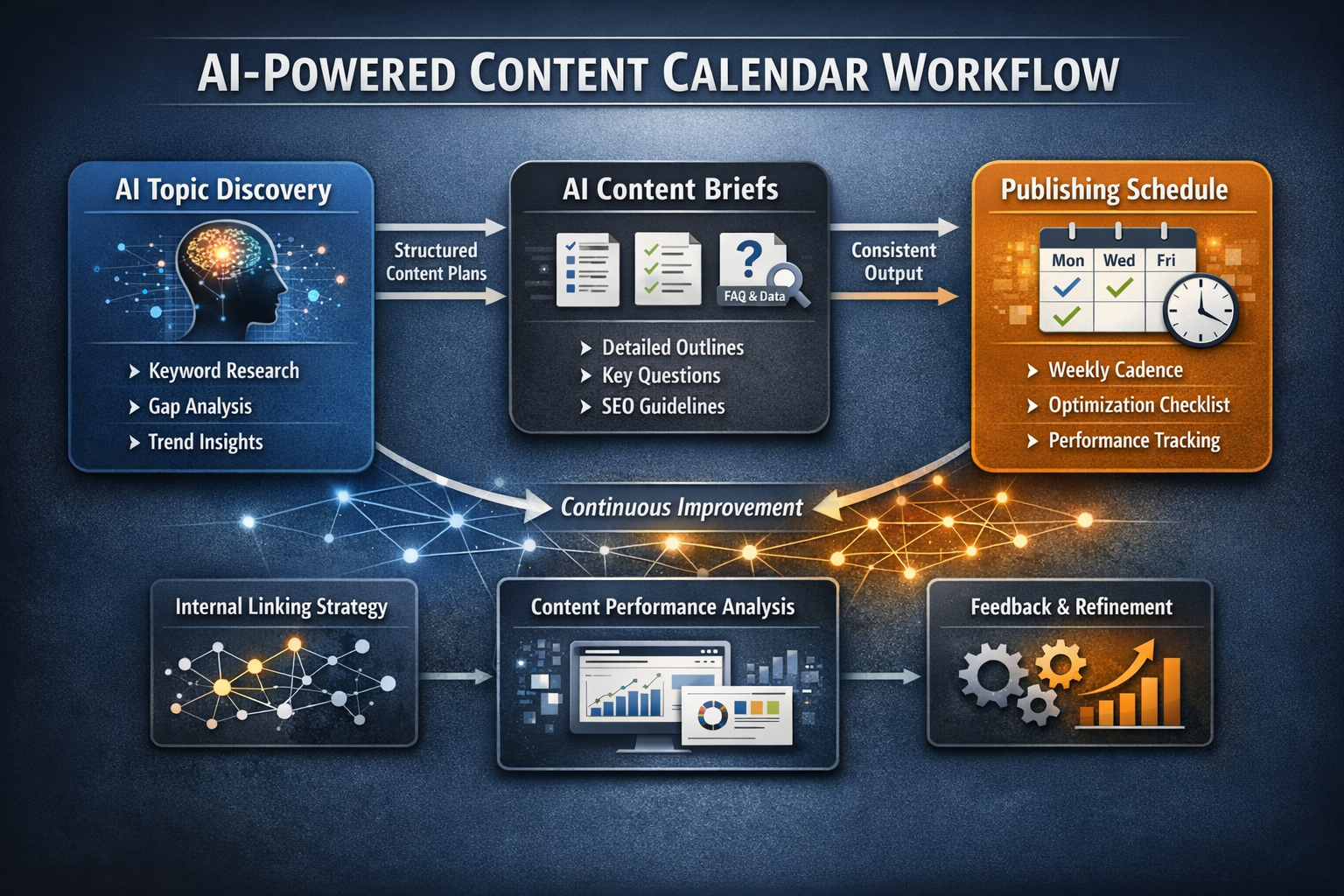
Integrating AI Tools Into Your Workflow
The right AI tools accelerate every step of this process. Here's where they add the most value—and the specific prompts that make them useful.
Topic Discovery and Expansion
AI can analyze your existing content, identify gaps, and suggest related topics you haven't considered. Feed it your core themes and let it generate dozens of potential angles.
Sample prompt for topic expansion:
My SaaS company helps teams with [core function]. Our main content pillars are:1. [Pillar 1]2. [Pillar 2]3. [Pillar 3]For each pillar, generate 10 specific blog post topics that would appeal to [target audience]. For each topic, include:- A working title- The primary keyword to target- The search intent (informational, commercial, or transactional)- Why this topic matters to the target audiencePrioritize topics that address specific problems rather than general overviews.
Content Brief Generation
Once you've selected a topic, AI can create detailed briefs that save hours of manual research.
Sample prompt for brief generation:
Create a detailed content brief for a blog post titled "[Your Title]" targeting the keyword "[Primary Keyword]."Include:1. Recommended H2 and H3 headings (in logical order)2. 5 questions from "People Also Ask" to address3. Semantic entities and related terms to include naturally4. 3 internal linking opportunities (suggest types of pages to link to)5. Data points or statistics that would strengthen the piece (note: these will need verification)6. A suggested FAQ section with 3-4 questions and brief answersTarget audience: [describe your ICP]Target word count: [number]
Auto-Tagging Search Intent
You can use AI to classify topics in bulk, which speeds up organizing your topic bank.
Sample prompt for intent classification:
I have a list of blog post topics for a SaaS company. For each topic, classify the search intent as:- Informational (user wants to learn)- Commercial (user wants to compare options)- Transactional (user wants to take action)- Navigational (user looking for specific page)Also suggest the best content format for each (how-to guide, listicle, comparison post, case study, etc.).Topics:[Paste your list]
Draft Creation and Editing
AI-generated first drafts accelerate production, but they require human editing to ensure quality, accuracy, and brand voice. The combination of AI speed and human judgment produces better content faster.
Never publish AI-generated content without human review. Check for:
Factual accuracy (especially statistics and claims)
Brand voice alignment
Logical flow and argument structure
Originality of insights
Proper source attribution
Performance Analysis
AI can identify patterns in your analytics data that humans might miss. Which topics drive the most engagement? Which posts convert at higher rates? These insights feed back into your topic bank priorities.
Sample prompt for performance analysis:
Here's performance data from our last 20 blog posts:[Paste data: title, traffic, time on page, conversion rate, etc.]Identify:1. Which topics performed best and potential reasons why2. Which topics underperformed and potential reasons why3. Patterns in high-performing content (length, format, topic type)4. Recommendations for future content priorities based on this data
The Topic Bank Creation Process
Building a topic bank isn't a one-time project. It's an ongoing system that gets smarter over time.
Phase 1: Initial Research Sprint
Spend two to four hours gathering raw material:
Export keyword data from tools like Ahrefs, SEMrush, or Google Search Console
Analyze top-ranking competitor content for gaps
Review customer support tickets and sales call recordings for common questions
Check Reddit, Quora, and industry forums for unaddressed topics
Use AI tools to expand seed keywords into related clusters
Phase 2: Organize and Prioritize
Create a structured database (spreadsheet works fine) with columns for:
Topic/title
Primary keyword
Monthly search volume
Keyword difficulty
Search intent
Content pillar
Priority score
AI-survivability requirements
Status
Score each topic based on search potential, competitive difficulty, and business relevance. High-priority topics go on the calendar first.
Phase 3: Quarterly Refresh
Your topic bank needs maintenance. Every quarter:
Add new topics based on emerging trends
Remove topics that are no longer relevant
Update priority scores based on performance data
Identify gaps in your content coverage
Review which AI-survivability elements are driving results
This keeps your calendar responsive without requiring constant firefighting.
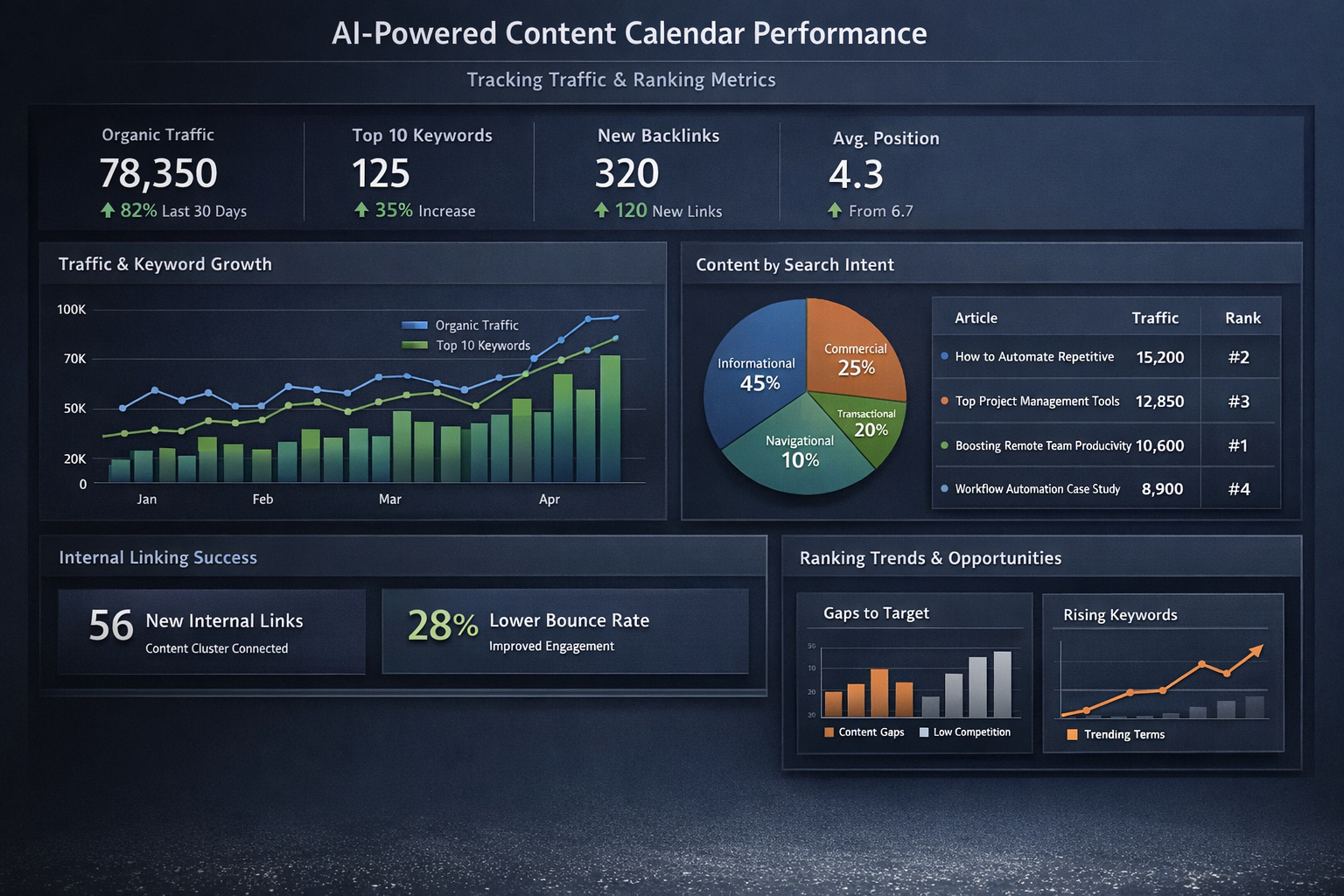
Measuring What Matters
A content calendar is only as good as the results it produces. Track these metrics to ensure your system is working.
Leading Indicators
Publishing consistency (are you hitting your cadence?)
Keyword coverage (are you addressing all priority topics?)
Content depth (average word count, headings, FAQ coverage)
Internal linking density (are posts connected?)
Lagging Indicators
Organic traffic growth (month-over-month and year-over-year)
Keyword rankings (positions for target terms)
Domain authority (trending upward over time)
Conversion rate (organic visitors to leads)
AI citation frequency (are AI assistants referencing your content?)
Most SaaS companies see meaningful traction within three to six months of consistent, strategic publishing. The key word is consistent.
Common Pitfalls and How to Avoid Them
Even well-designed content calendars can fail. Watch for these traps.
Pitfall 1: Overcomplicating the System
A content calendar should reduce friction, not add it. If your system requires a PhD to operate, simplify it. The best calendar is one that actually gets used.
Start with the essential columns and add complexity only when you have a specific reason.
Pitfall 2: Ignoring Search Intent
Publishing the wrong content type for a keyword wastes resources. If users want a comparison post and you deliver a product page, you won't rank—regardless of how good the content is.
Before writing, always check what's currently ranking for your target keyword. Match the format and depth of top results.
Pitfall 3: Chasing Vanity Keywords
High-volume keywords are tempting but often impossible to rank for. Better to dominate ten mid-volume keywords than to flounder on one competitive term.
Focus on keywords where you can realistically reach page one within six months.
Pitfall 4: Trusting AI Output Without Verification
Build verification checkpoints into your workflow. If AI suggests a statistic, find the original source. If it can't be verified, remove it.
Pitfall 5: Treating the Calendar as Static
A content calendar isn't a document you create once and follow blindly. It's a living system that should evolve based on performance data, market changes, and new opportunities.
Review and adjust monthly. What's working? What isn't? Where are the gaps?
Making It Sustainable
The biggest challenge with content marketing isn't starting. It's continuing.
An AI-powered content calendar solves this by turning content production into a system rather than a project. You're not deciding what to publish each week. You're executing a plan that was designed with strategy in mind.
The calendar itself becomes an asset—a documented system that compounds in value over time. New team members can follow it. Performance data makes it smarter. And the content it produces builds on itself, creating topical authority that's hard for competitors to replicate.
This is what separates companies that build real organic traffic from those who publish sporadically and wonder why nothing works.
The system does the heavy lifting. You provide the direction.
Ready to build a content system that runs on autopilot? Start with a kickoff conversation to map your topic bank and content calendar. Book a strategy call and see how a structured approach to content can compound your organic growth.
Frequently Asked Questions
How long does it take to build a topic bank from scratch?
Most SaaS companies can build an initial topic bank in one to two weeks of focused effort. This includes keyword research, competitive analysis, and topic organization. However, the topic bank should evolve continuously based on performance data and market changes, so plan for quarterly maintenance sessions of two to four hours each.
What tools do I need for an AI-powered content calendar?
You'll need a keyword research tool (like Ahrefs or SEMrush), a project management system for your calendar (even a spreadsheet works), and access to AI writing assistants for content brief generation. The specific tools matter less than having a consistent process that integrates them effectively. Start simple and add tools only when they solve a specific problem.
How many topics should be in my topic bank before I start publishing?
Aim for at least 50 to 100 prioritized topics before you begin publishing consistently. This gives you roughly six to twelve months of content runway, assuming two posts per week. Having topics queued up prevents the scramble of last-minute brainstorming that derails most content programs.
Can AI-generated content actually rank in search engines?
Yes, when done correctly. Google's stance is that helpful content can rank regardless of how it's produced [6]. The key is ensuring AI-generated content is accurate, valuable, and edited by humans who understand the subject matter. Low-quality AI content will struggle, just like low-quality human content always has. The differentiator is always quality and usefulness, not production method.
How do I know if my content calendar is working?
Track both leading and lagging indicators. Leading indicators include publishing consistency and topic coverage. Lagging indicators include organic traffic growth, keyword rankings, and conversion rates. Most companies need three to six months of consistent execution before seeing significant results from content investments. If you're hitting your publishing cadence but not seeing results after six months, revisit your topic selection and content quality.
About This Content
This article was developed by The Mighty Quill's content team, combining hands-on experience in SaaS marketing, SEO strategy, and content operations. Our approach integrates AI-assisted research with human editorial oversight to ensure accuracy, relevance, and practical value. We specialize in helping growth-focused companies build sustainable organic traffic through systematic content production.
Works Cited
[1] Google — "How Search Works." https://www.google.com/search/howsearchworks/
[2] Search Engine Journal — "How AI Search Engines Are Changing SEO." https://www.searchenginejournal.com/
[3] Google — "Search Quality Rater Guidelines." https://guidelines.raterhub.com/
[4] HubSpot — "How Often Should Companies Blog?" https://blog.hubspot.com/marketing/blogging-frequency-benchmarks
[5] Content Marketing Institute — "Creating Content for AI-Driven Search." https://contentmarketinginstitute.com/
[6] Google Search Central — "Creating Helpful, Reliable, People-First Content." https://developers.google.com/search/docs/fundamentals/creating-helpful-content